 Perilous
 Towns & Housing
The classic cities - where you bank, trade, and train - plus two things you won't find on most shards: houses built into real town buildings, and public vendor stalls you can hire.
Overview
The towns are the classic cities of the world, and they do the classic jobs: banking, buying from NPC vendors, training your class, and catching your travel. What sets PL's towns apart is that the buildings are not just scenery - some of them can be yours, and the streets can carry your vendor.
What's in a Town
The usual services live in town: a bank, shops, and the trainers you need. Each of the ten classes has a guildmaster - Pirate, Necromancer, Bard, Elementalist, Ranger, Gladiator, Biologist, Assassin and Cutpurse - and they tend to share a hall, alongside a sparring dummy for practice. If you are new, the town is your home base while you find your feet.
Town-Building Housing
On most shards a house is a plot you drop in the wilderness. On PL you can instead take an actual building inside a town and make it your home - the walls and roof you see on the map become a real player house, with all the lockdowns, secures and management that implies.
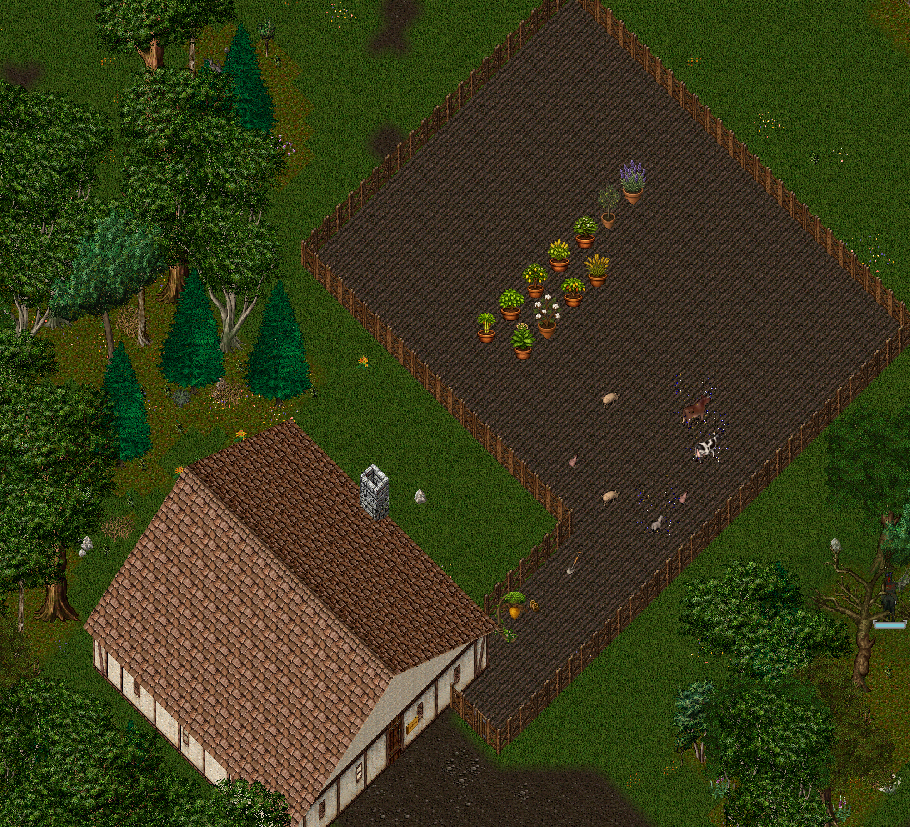
Where the shard has opened a building up, you will see a stone standing out front that advertises FOR SALE, FOR RENT, or both, with the building's name and price. That stone is your way in. Not every building is available - staff open them one at a time - so an unmarked building is just scenery.
Buying & Renting
Stand near the listing stone and double-click it. You have two ways to hold a building:
| Option | What you get |
|---|---|
| Buy (permanent) | The building is yours for good - it never decays. You pay the listed sale price once. |
| Rent | You hold it for a set term and renew at the same stone before it lapses. Let a rental expire and, after a short grace period, your goods are packed up and sent safely to your bank - nothing is destroyed. |
Walking away. Owners and renters alike can abandon a town property from its listing stone. Everything locked down or secured inside is released where it stands and decays like any dropped item, the doors are reset, and the building goes straight back on the market for rent or sale. Rent already paid is not returned. Town properties never decay on their own: a bought one is yours until you sell or abandon it, a rented one runs on its lease.
Once it is yours, a working house sign appears at the building and it behaves like any house: lock down items, set secures, add friends and co-owners, and manage it from the sign. The purchase also drops a key to the building's doors into your pack and locks those doors to you. Payment is in gold.
A town building counts as your one house per account - the same limit a normal plot uses. Taking a town building fills that slot, so you hold the town building instead of a wilderness house, not in addition to one.
A note on doors: a town building's doors are part of the map art, so on rare buildings a door may not have been wired for a key yet. Your lockdowns and secures are protected by the house region regardless, and staff can link any missing doors on request.
Public Vendor Stalls
You do not need a house to run a player vendor. Towns have public vendor stalls - hire points where you can set up a vendor right in the street.
Find a vacant stall, stand next to it, double-click, and pay the gold hire fee. Your vendor spawns on the spot, facing the way you are, and starts selling for you in a spot with real foot traffic. Two things to know:
- The limit is one town vendor per player, counted across every town - you cannot blanket the map with stalls.
- When the vendor comes down - you dismiss it, or it stops being paid - its goods and gold are returned to your bank in a labeled backpack. Nothing you stocked is ever lost.
To take a vendor down, do it the standard way: stand near it and say "vendor dismiss", or use its context menu.
Tips
- A town building puts your home in the middle of the action - bank, vendors and travel are all a few steps away.
- Renting is the low-commitment way to try town living; buying is for when you know you want to stay. Since it uses your account's only house slot, pick the building you actually want.
- A public stall in a busy town beats a vendor tucked away on a private plot no one walks past.
- Working a farm plot behind a town building feeds straight into the trade pack economy.